ADOT Force Sign-Up or Login
All Dealers will need a login to the ADOT Force for submitting electronic applications and conducting business with the ADOT Dealer Licensing unit.

|
In order to update the email used to create the account, email the Dealer Licensing unit at [email protected]. |
Signing Up for ADOT Force
 New Applicants
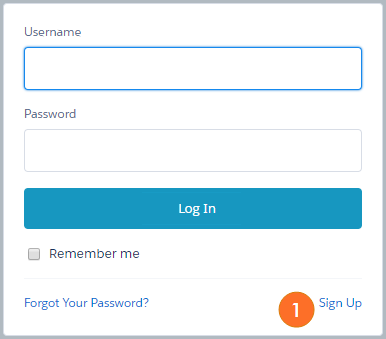
- On the ADOT Force log in page, click Sign Up.
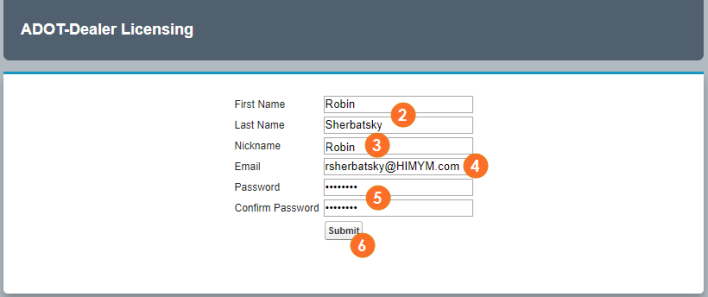
- Type your First Name and Last Name that is on file with the Dealer Licensing unit.
- Type a Nickname for future validation.
- Nickname is a required field; type your FULL name as the Nickname
- Type your Email address that is on file with the Dealer Licensing unit.
- Email is used for dealership validation and MUST be the email address the MVD Dealer License Unit has on file for the dealership in order for you to see your related information
- Type a Password and Confirm Password.
- Note: this password is temporary. You will be prompted later to Change Password
- Click Submit.
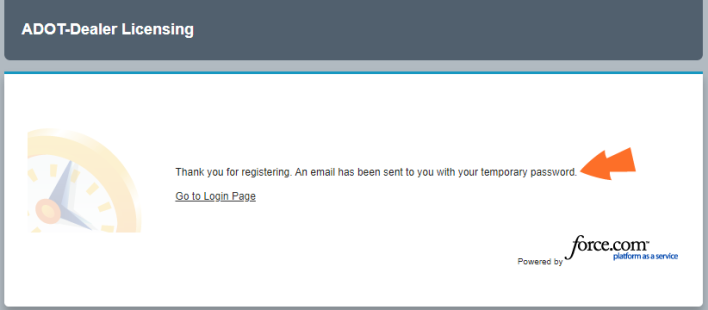
- A confirmation message will display. Close this tab/window.
- Do NOT click this link to return to the Login Page
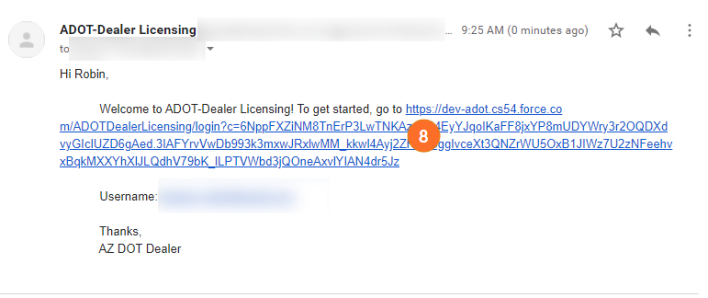
- Check your email and use the link provided in the email message (used for further authentication)
- In the email you receive, click the hyperlink to get started.
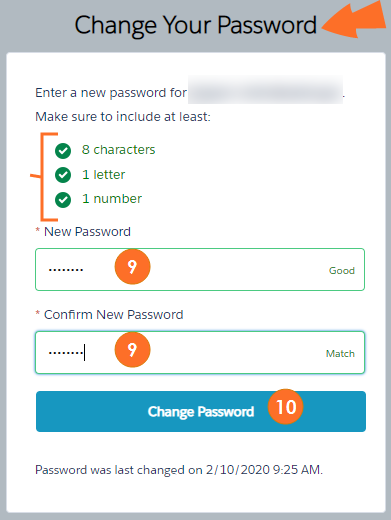
- You will be taken to a Change Password screen. Type the New Password and Confirm Password according to the guidelines shown on the screen.
- Click Change Password.
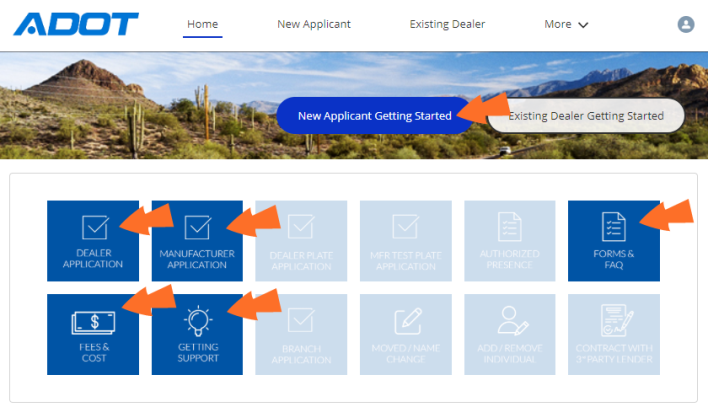
You will now see the ADOT Force home page for a new applicant. Click the available buttons to submit applications or to learn more.
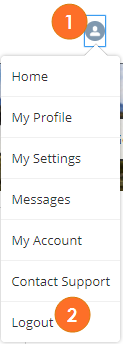
When you are done in ADOT Force:
- Click the Profile button.
- Click Logout.
Logging In
Existing Dealers with ADOT Force Access
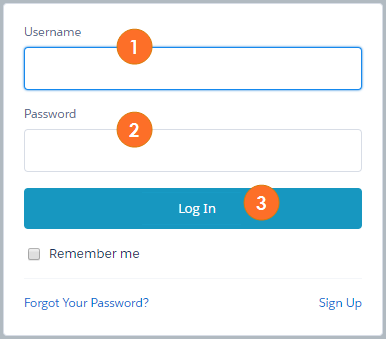
- On the ADOT Force log in page, type your Username (typically your email address on file with the DLU).
- Type your Password.
- Click Log In.
If the Log In credentials provided are correct, you will now see the Dealer Licensing home page.
When you are done in ADOT Force:
- Click the Profile button.
- Click Logout.
