Driver License MVR
Driver License MVR - How To Video
A Driver License MVR (motor vehicle record) is a printout of a customer's driver record. The manner in which MVR information may be released is regulated by the Federal Driver’s Privacy Protection Act (or DPPA), 18 USC 2721-2725 as adopted in Arizona law, Title 28, Chapter 2, Article 5. The DPPA requires you to have a "permissible use" for requesting and receiving an MVD record that contains personal identifying information.
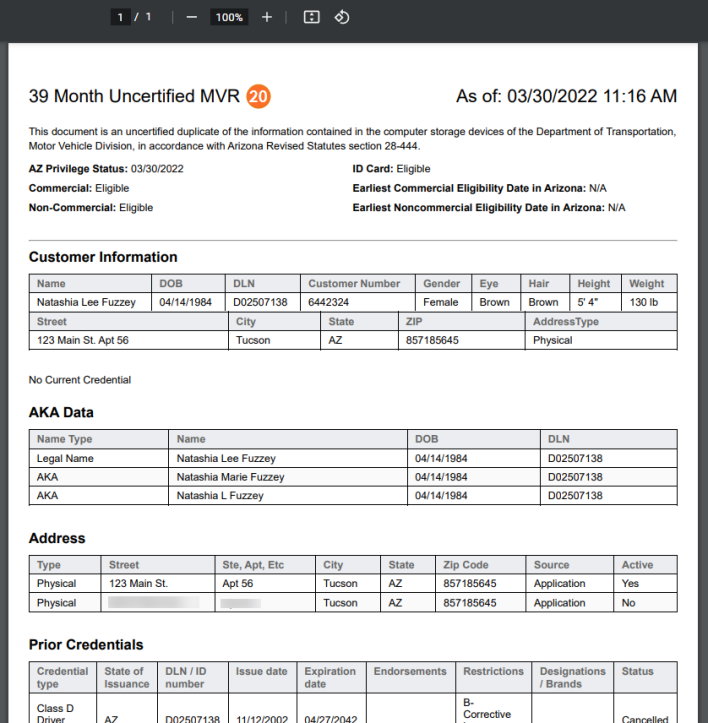
The Driver License MVR provides an authorized user the following on a licensed driver in Arizona:
- Customer Information (name, DOB, DL #, address, etc.)
- Other names the customer has used (AKA)
- Prior credentials
- Medical and TSA information when applicable
- Driving History (suspensions, revocations, etc.) when applicable
 Requesting a Driver License MVR
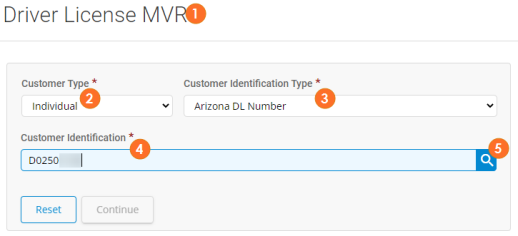
- From the Business Suite Services menu select Driver License MVR
- Select Individual from the Customer Type drop down.
- Select the Customer Identification Type you want to use to search for the customer. In this example we use Arizona DL Number.
- Type the Customer Identification number.
- Click the Search icon.
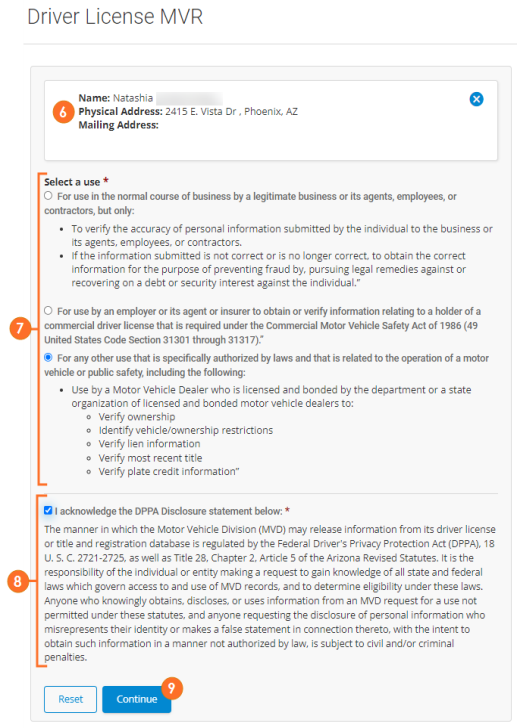
- If a customer matching the information is found, it will display. Confirm the customer is correct. If it's not the correct customer, click the X and try your search again.
- Read and acknowledge you are authorized and you have a permissible reason for requesting the MVR. Check the applicable acknowledgment checkbox.
- Read and acknowledge the DPPA Disclosure statement. Check the acknowledgment checkbox.
- Click Continue.
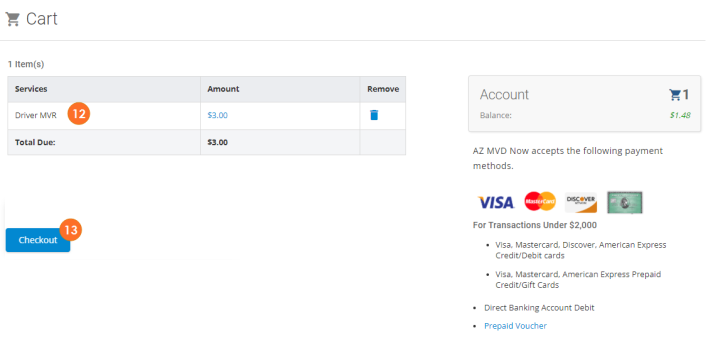
- The Driver License MVR service will be added to the cart.
- Click Checkout.
- If a Payment Method is already saved, click Select to select that payment method.
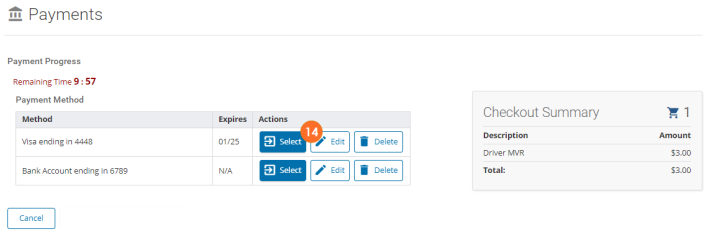
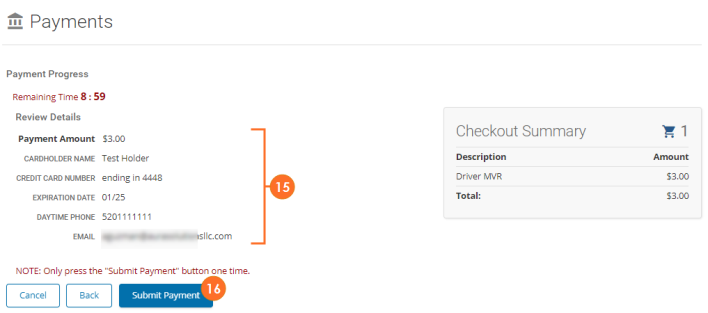
- Review / confirm the details of the payment.
- ClickSubmit Payment.
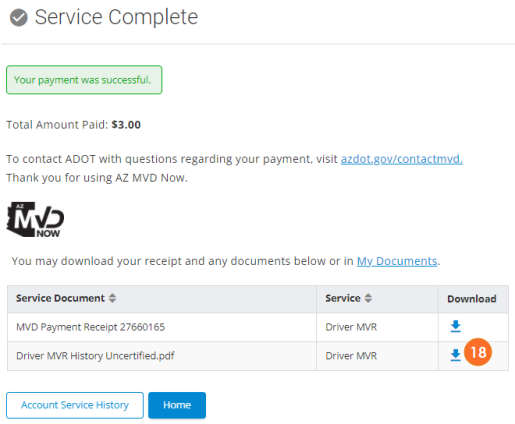
- The MVR and the service receipt will generate.
- To view and print MVR and/or the payment receipt, click the download icon.
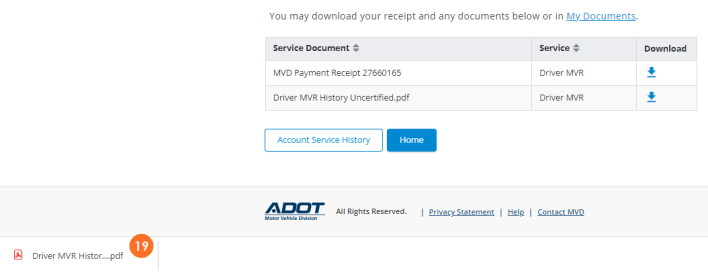
- The document will download. Double-click the .pdf to open. Note: the location of the downloaded document may vary depending on your computer set up.
- The Driver License MVR will open as a PDF.
- Click the Printer option to print. Note: the location of the print option may vary depending on your computer set up.