Fund Customer Account

There are account funding limits for customers using AZ MVD Now to fund their own accounts.

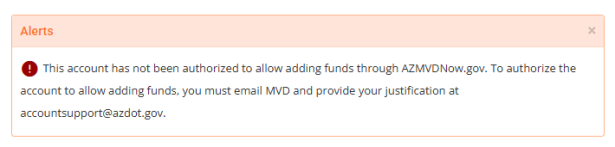
If your organization has not been authorized to fund accounts through AZMVDNow.gov and wish to do so, you will need to complete a Request to Fund Organization AZ MVD Now Account, form #15-0714 and email the completed form to [email protected].

The below alert will display while processing the service if you are not authorized.
Adding Funds to Account

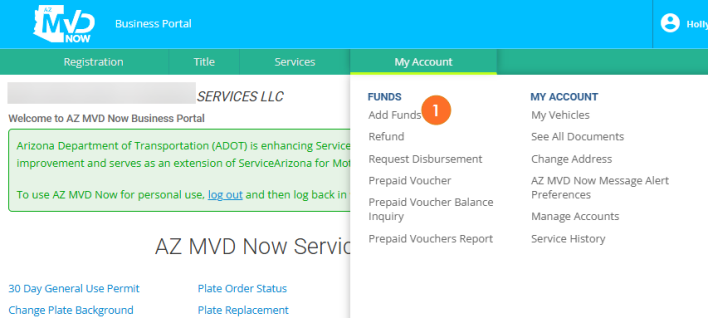
  1. Select Add Funds from the My Account menu.

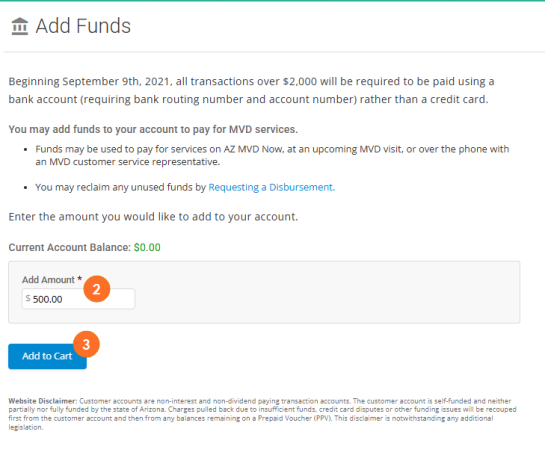
  1. Type the amount to add to your account.
  2. Click Add to Cart.

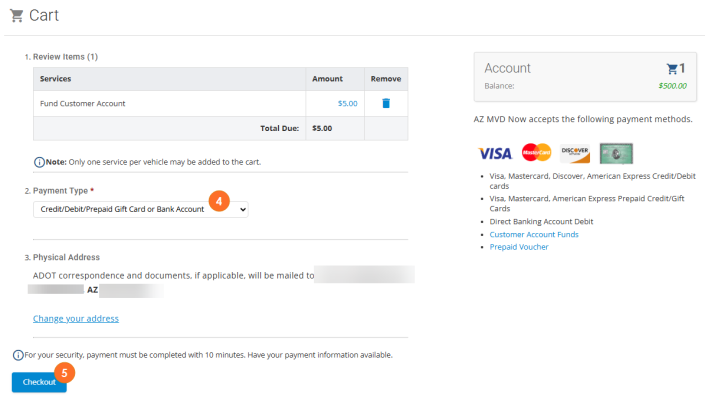
  1. Select the Payment Type you'd like to use from the drop down.
  2. Click Checkout.

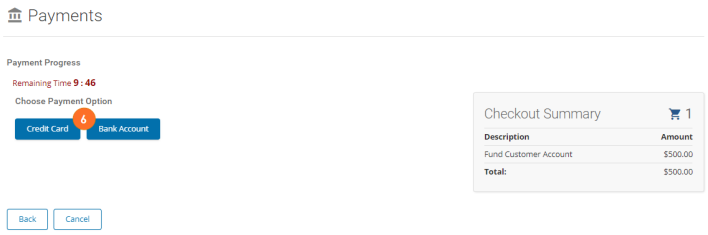
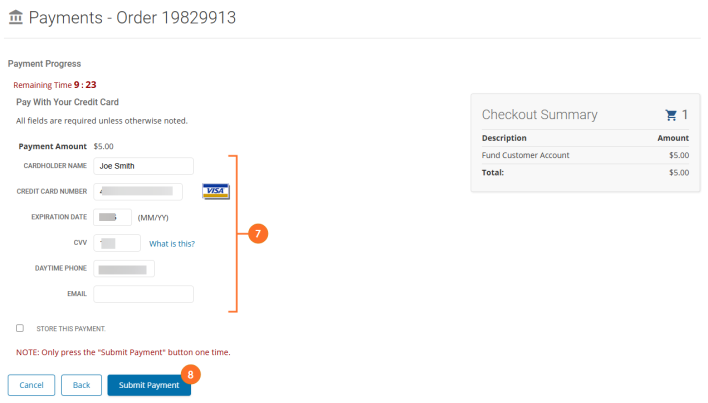
  1. In the payment screen, select the payment option you desire.

  1. Depending on the option you select, you will need to enter the appropriate payment details.
  2. Once entered, click Submit Payment.

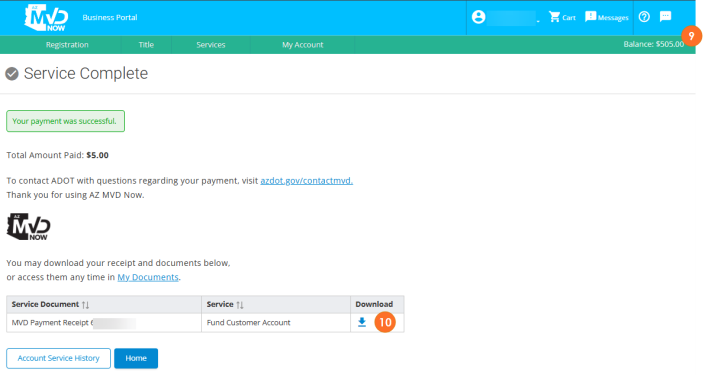
  1. Your account will be funded and you can immediately use those funds towards the payment of any MVD services available on the site.
  2. If desired, you can download and print your payment receipt.